Notifications
The fastest way to get people to ignore your team app is to notify them about everything. So they choose.
Email and push, set separately
Each player decides what reaches them and by which route. Email and push are configured independently, so someone can take game reminders as a push and keep everything else to email — or turn a category off entirely.
Settings are per team as well as global. A player on three teams can be loud about one and quiet about the others.
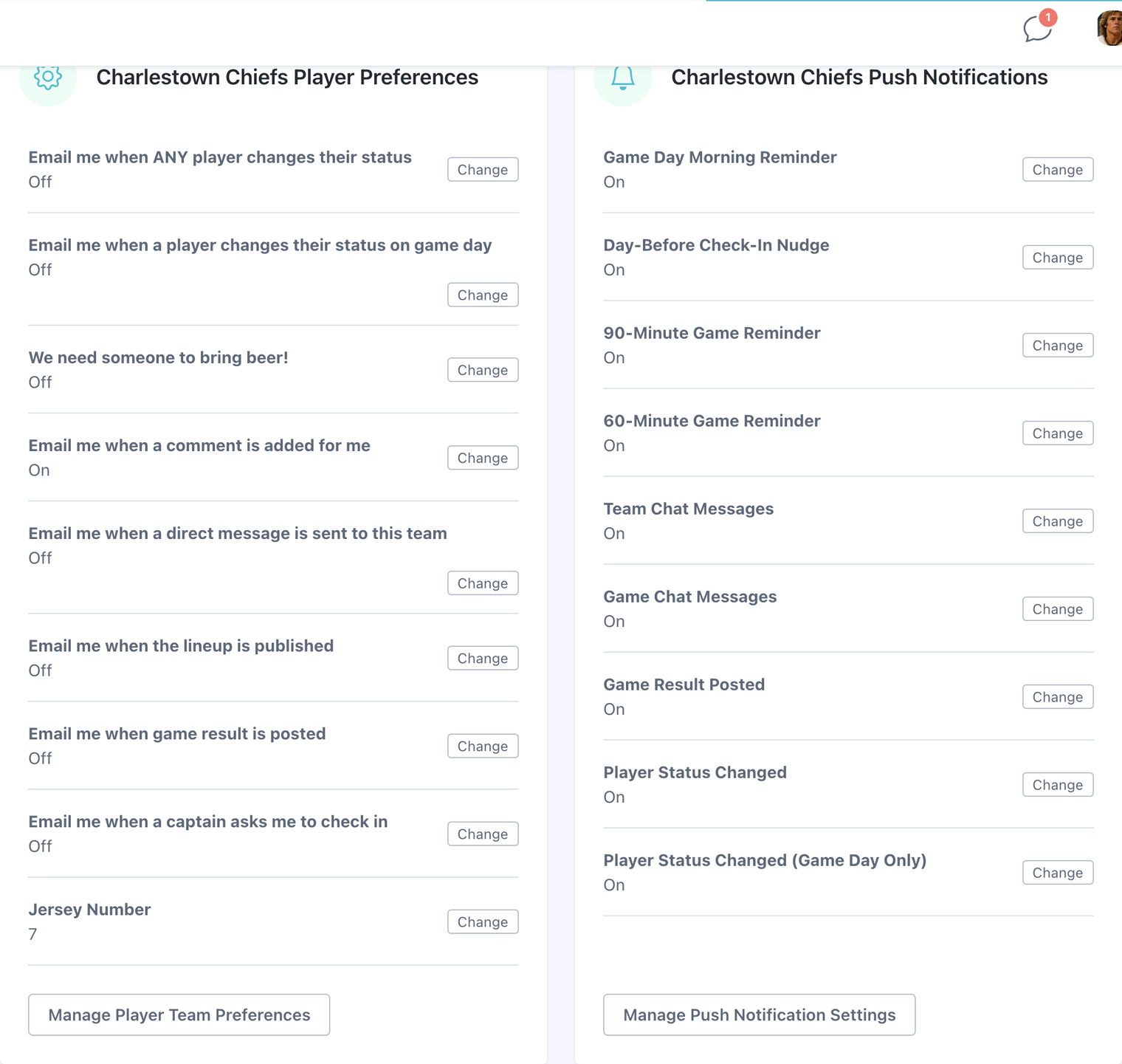
Push options worth knowing about
- Game day only — nothing all week, then everything on the day you play.
- When someone changes status — useful for captains watching a thin roster fill up or fall apart, and noise for everyone else. Off unless you want it.
- Game chat — separate from team chat, so game-night chatter can be loud without the season-long thread being loud too.
- Game result posted — a note when the score lands, including when it arrives by itself from the schedule import.
Reminders you do not have to send
Game week and game day reminders go out on their own, timed by the Days Before Game For Notification Email setting on your team. Check-in reminders, beer duty reminders, and schedule change notices are all automatic too — the nudge button exists for the people those did not reach.
Where to find them
- Open Profile.
- Choose the email or push notification settings tab.
- Adjust globally, or per team for finer control.