Check-ins and nudges
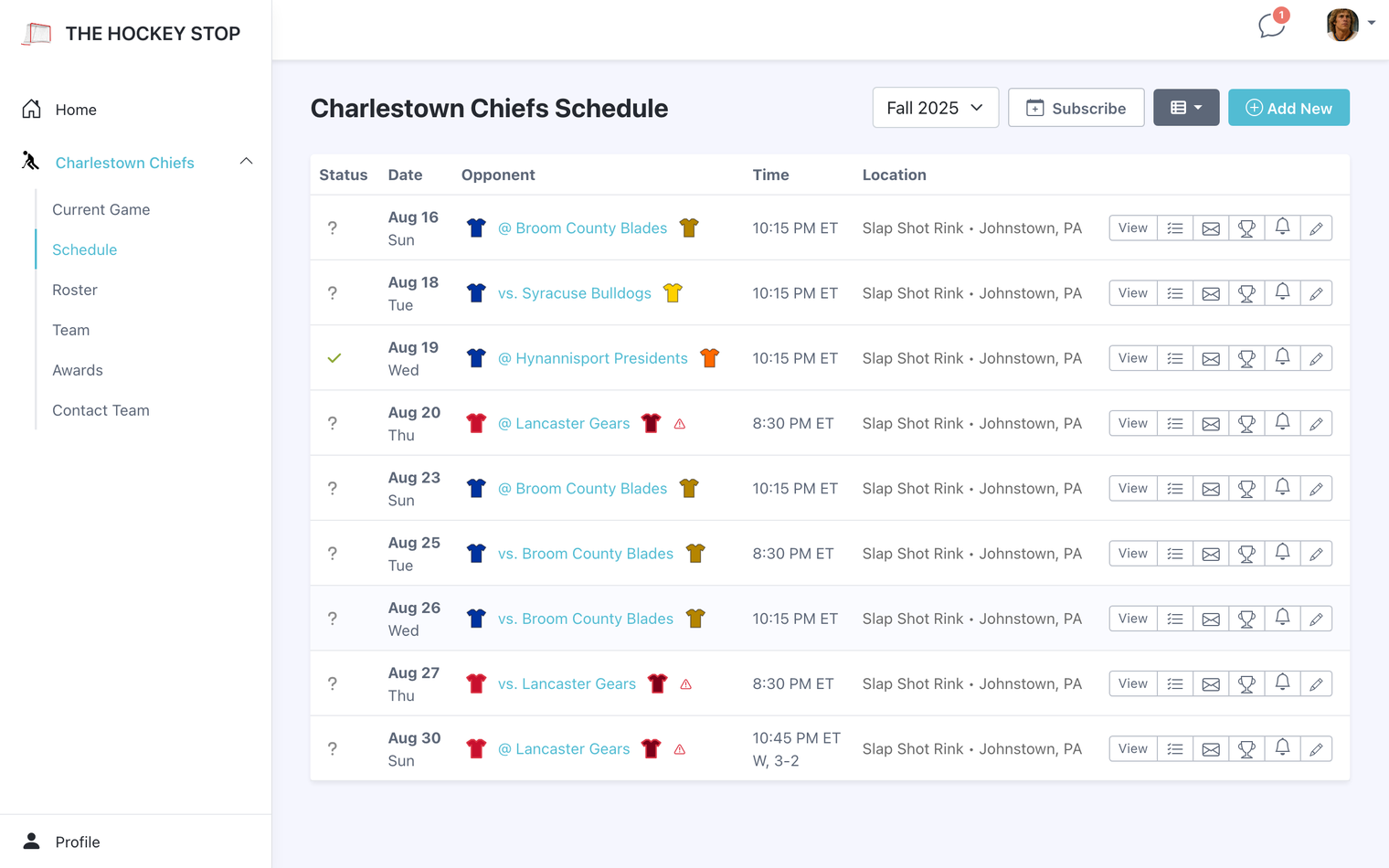
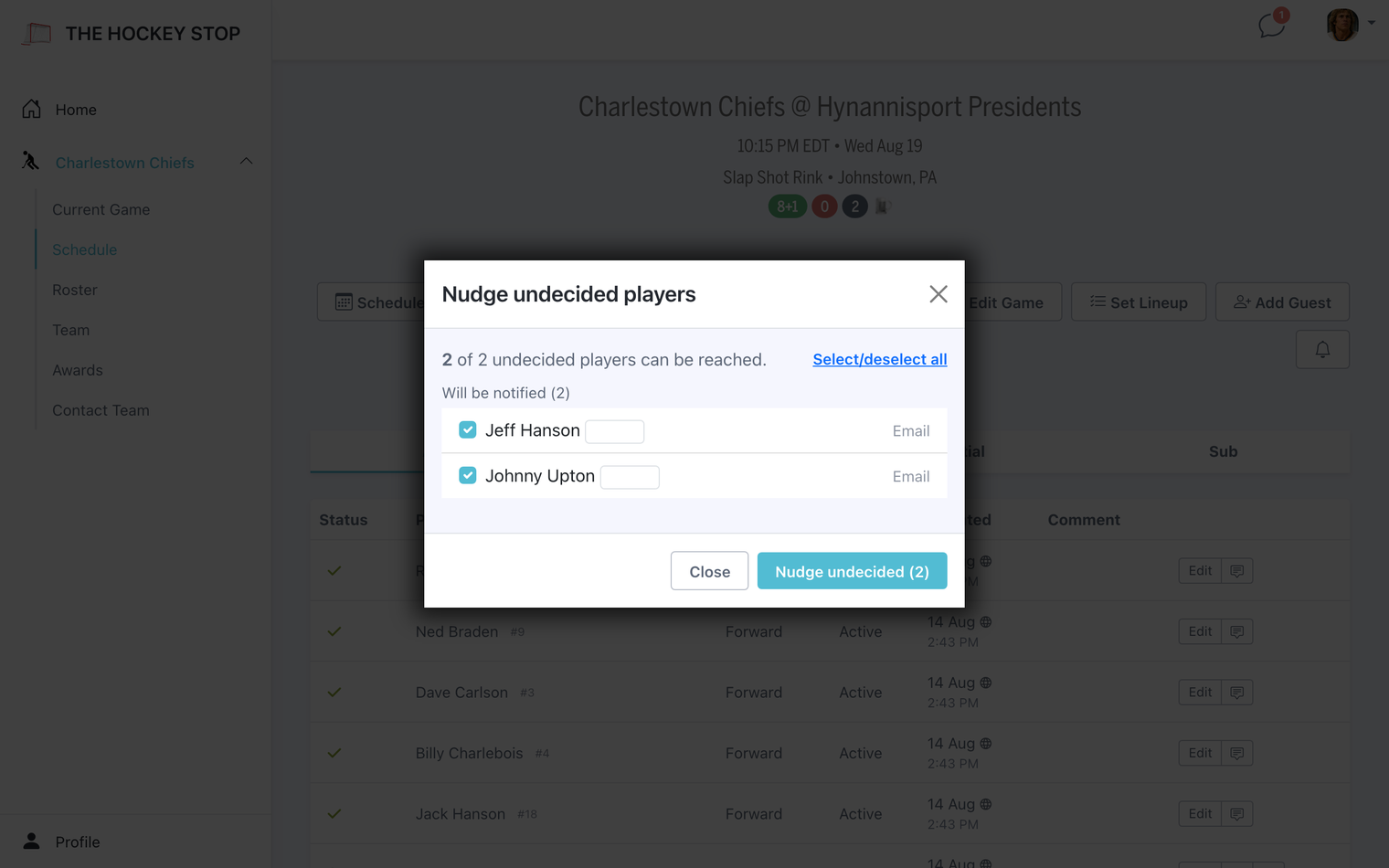
Players mark themselves in or out for each game. When someone has not answered, the nudge button pokes exactly the players who are still undecided — not the whole team, and not the people who already replied. You see a live count of who is outstanding before you send, and the nudge respects each player's roster status, so people who are no longer active are left alone.
Lineups
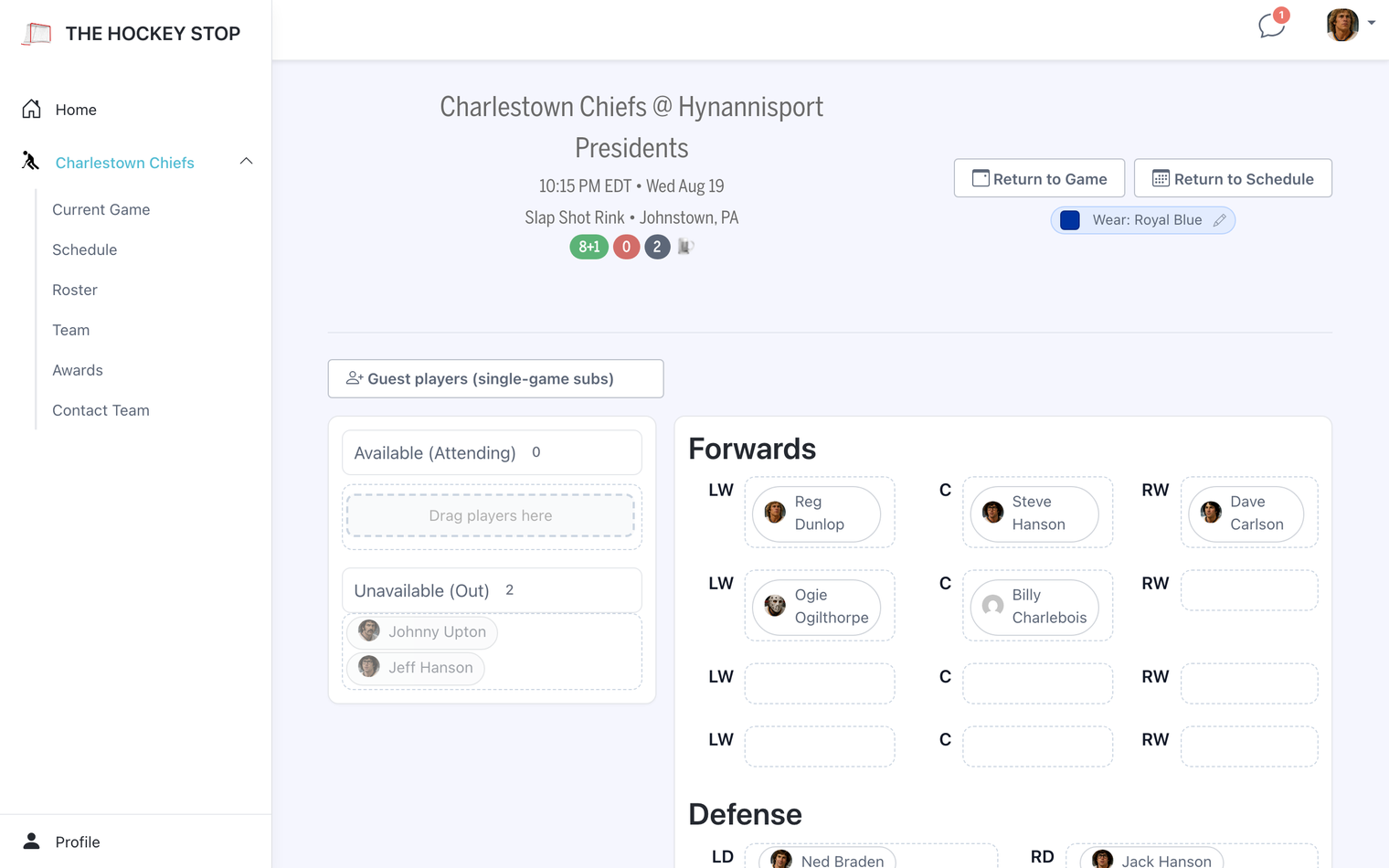
Build lines from whoever has checked in, with positions and jersey numbers. Turn on Use Player Photos On Lineups and the lineup renders with player avatars; set a Lineup Accent Color to match your sweaters.
When it is ready, send it wherever your team actually looks — team chat, the game chat, email, or all three at once. You can add your own message alongside it, or download the lineup as an image to post somewhere else.
Jersey colors
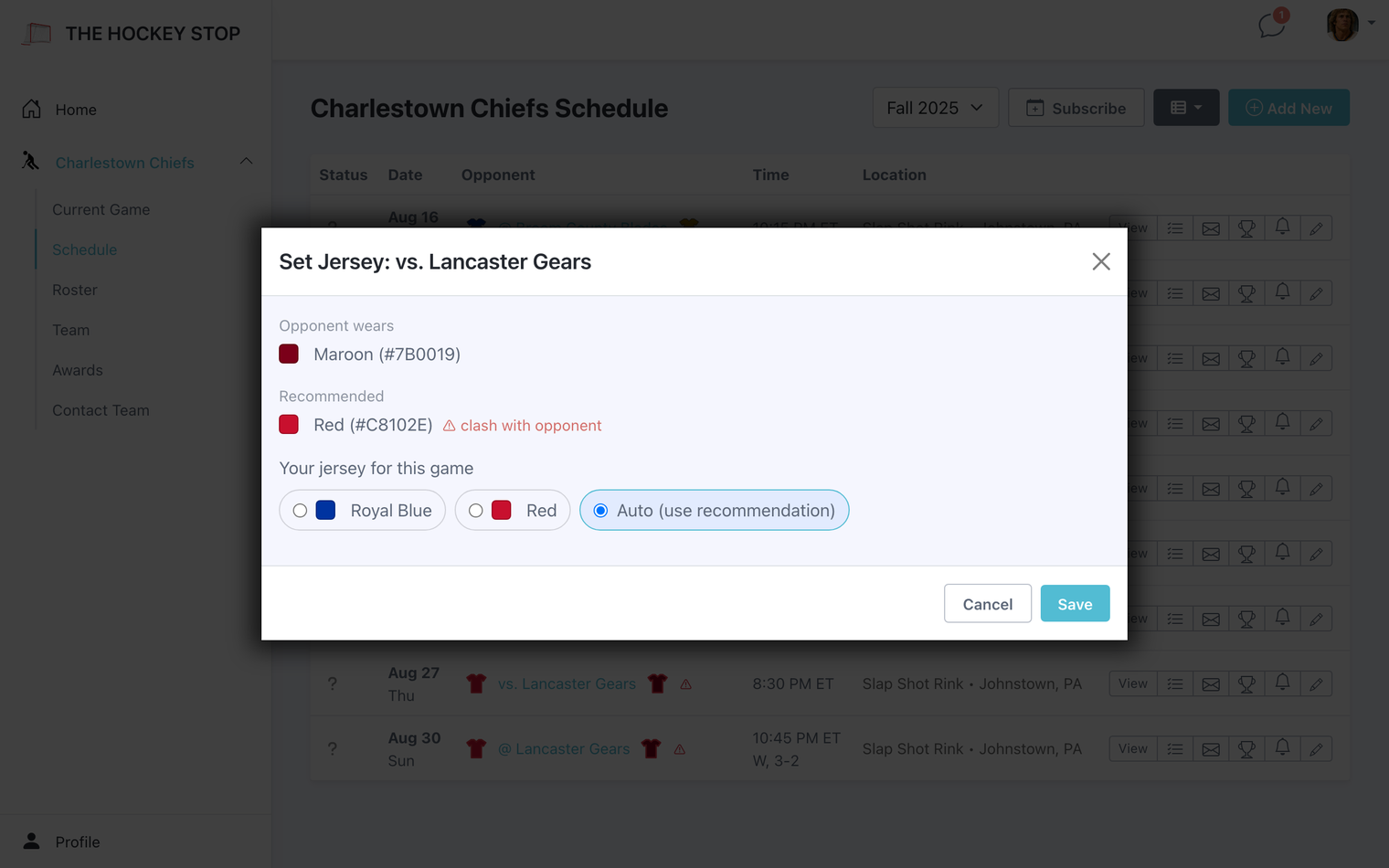
Store your primary and alternate colors once, and your opponents' colors as you meet them. Before each game you get a recommendation on which sweater to bring, and a warning when your colors would clash with the other team. If the league tells you otherwise, override it for that one game without changing your defaults.
Guests
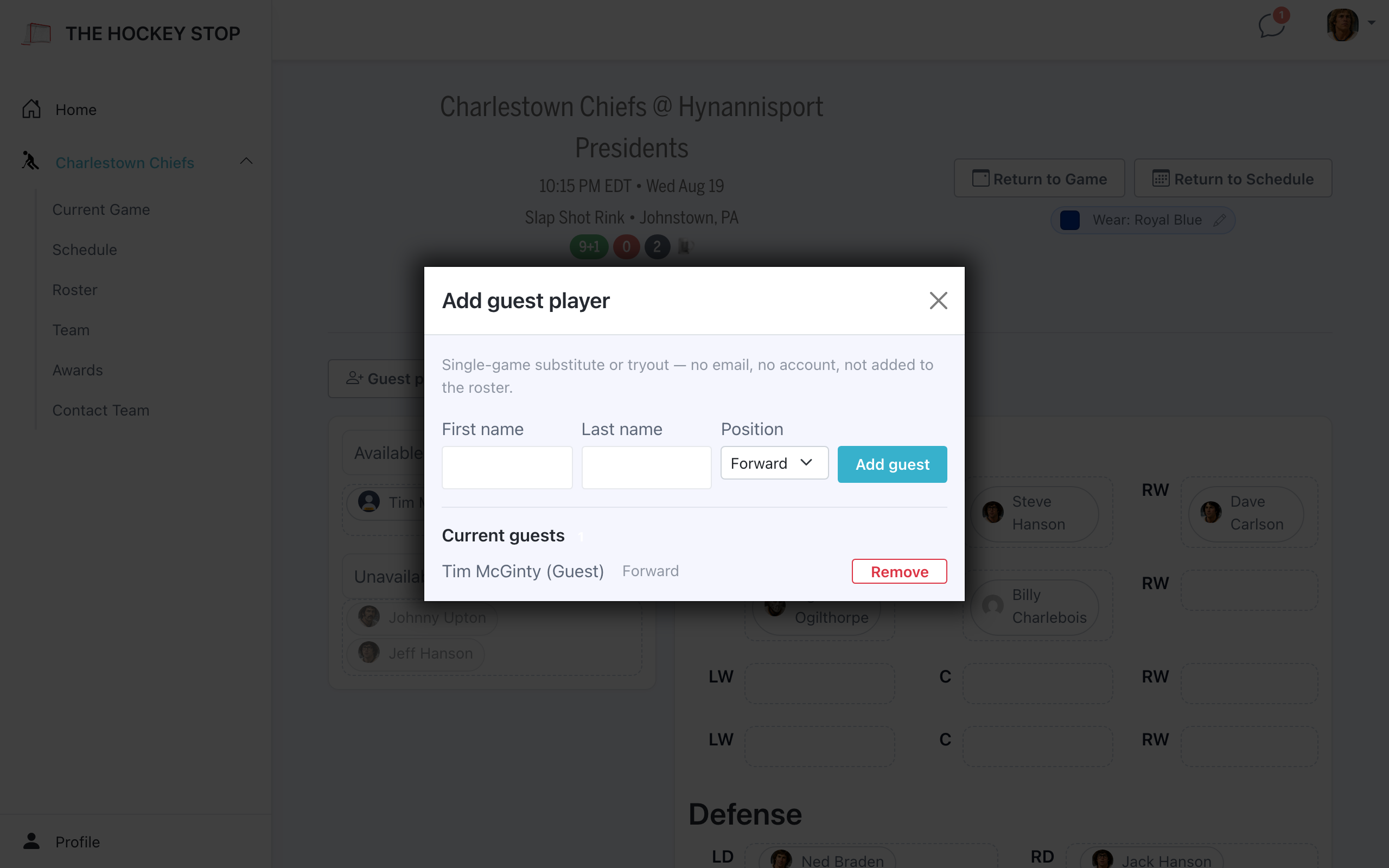
Short a skater? Add a guest for that one game. They do not join your roster or your dues, and they never get a login — they exist for the game you added them to. A captain or admin adds them and sets their status, so they can be placed on the lineup and are eligible for game awards like anyone else.
Results and awards
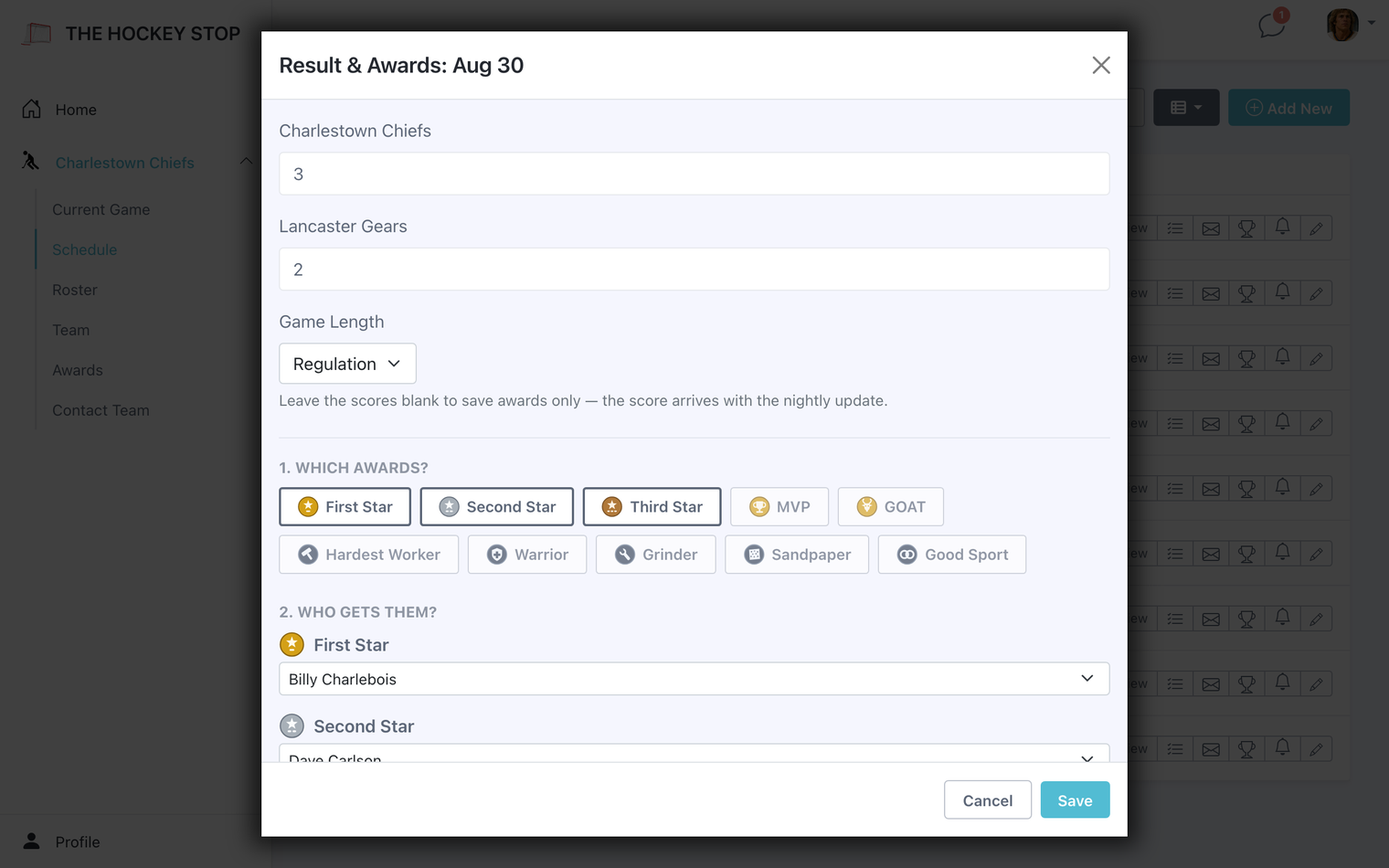
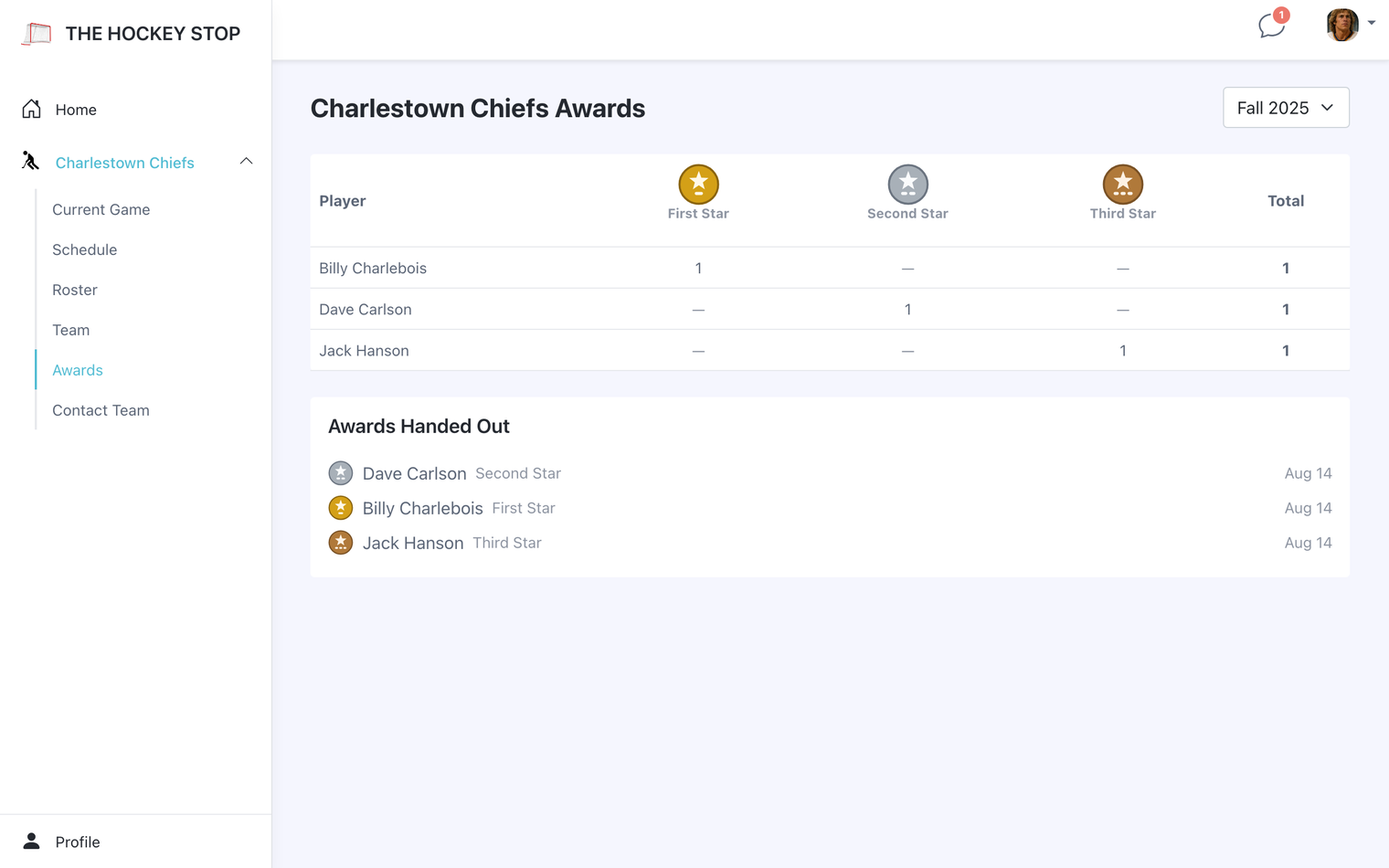
Record a final score yourself, or let the schedule import bring it in. If your team has awards turned on, hand out game awards afterwards — they collect into a season trophy case showing who won what, and a log of every award given.
A reminder to hand out awards
An hour after puck drop, admins get a nudge to assign the awards for that game — and only if it does not have any yet. Final scores usually arrive on their own with the twice-daily schedule import, so most of the time the result is already waiting for you.
Cancelling a game
Ice falls through. Mark the game cancelled and it stays on the schedule, visibly cancelled, rather than vanishing and leaving people to wonder whether it moved. You get to send a message with the cancellation, and choose exactly who it goes to, so nobody drives to the rink.
Emailing about a game
Any game can carry its own email to the team — a change of plan, a reminder to bring both sweaters, a note about parking. You pick the recipients rather than blasting the whole roster every time.
Comments on a check-in
An "out" is more useful with a reason attached. Players can add a comment to their status, and admins can add one on someone's behalf — so "out, back after the 14th" travels with the check-in instead of living in a text you will not find again.
Beer duty
If your team runs a beer rotation, it tracks who is up next and keeps the history so the argument about whose turn it is has an answer. Reminders go out on game day, including a nudge when nobody has claimed it yet. Players can be marked exempt.
Player reliability
Over a season, the roster builds a reliability picture for each player — who checks in, who shows up, and who says yes and then disappears. Useful when you are deciding who to call first next time you are short.