Dues and payments
Money moves over Venmo, cash, and e-transfer. This is the ledger that keeps track of it.
Setting what everyone owes
Dues are set per season. Enter the team's total and a default per-player amount, then adjust individual players where they differ — goalies who play free, a half-season skater, someone covering two spots.
- Go to Team → Seasons and edit the current season.
- Set the team total and the default player amount.
- Override individual amounts in the per-player grid below it.
Recording a payment
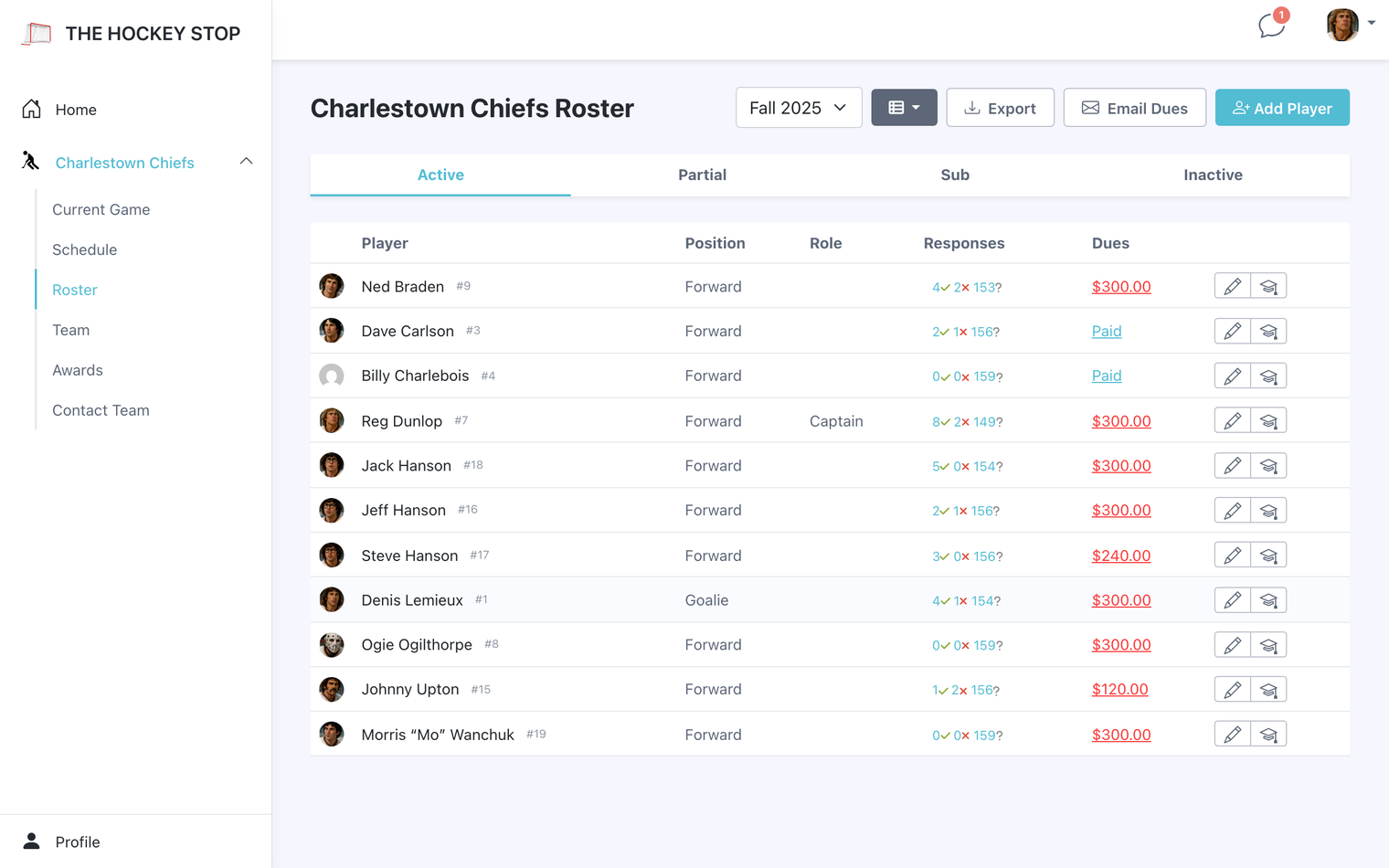
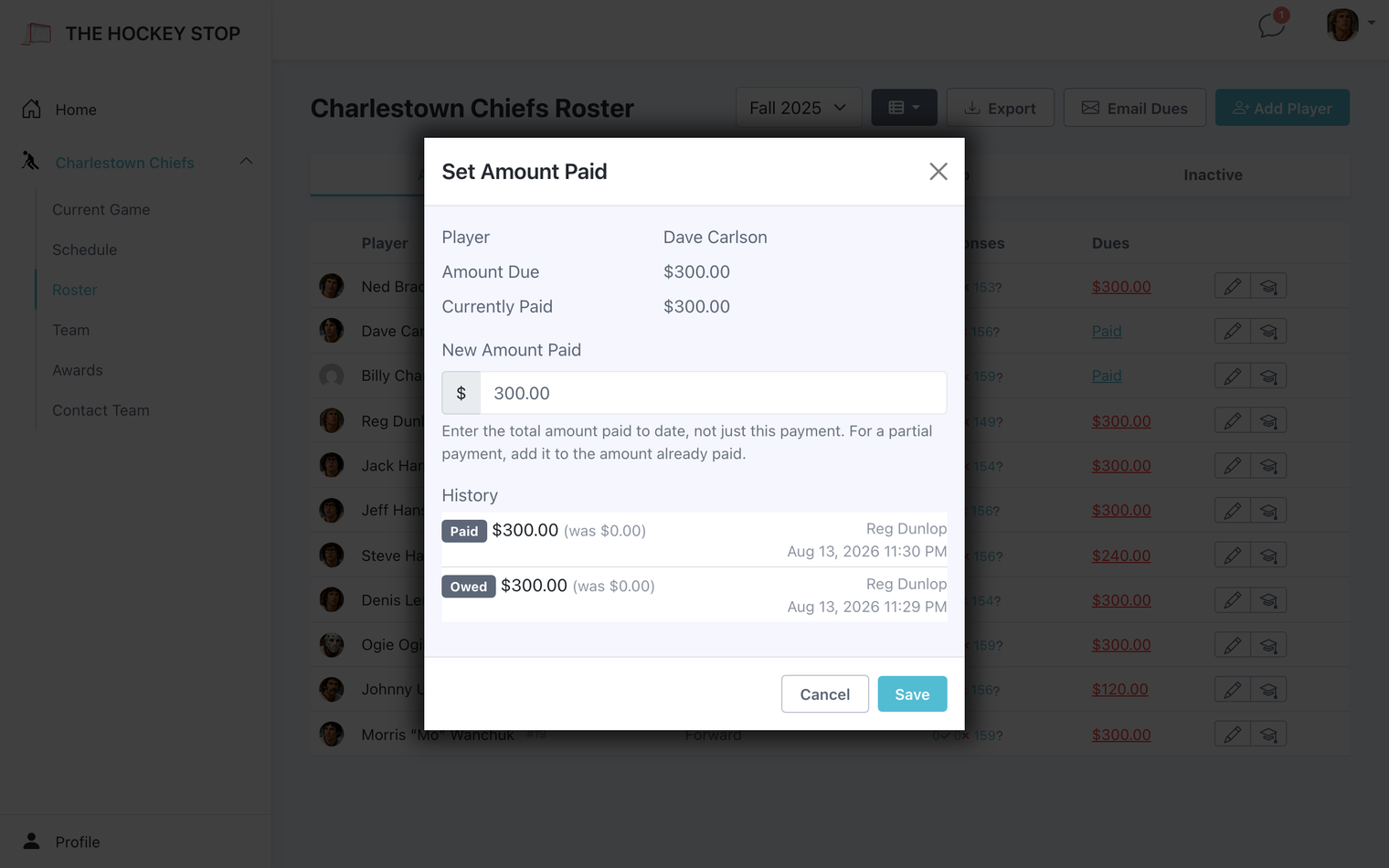
On the Roster, each player row shows what they owe and what they have paid. Open the amount-paid window to record a payment, optionally with a note — "Venmo, Oct 3" — so you can reconstruct it later. Every payment is kept as its own ledger entry rather than overwriting a running total, so the history stays readable.
Players get a receipt without you sending one
When you record a payment, the player is emailed a receipt showing the amount, what they have paid so far, and what is left. Your captains are copied, so both sides hold the same record. Corrections downward do not trigger an email — those are you fixing a typo, not a payment arriving.
Players can see it too
This is the part that does the work for you. Once dues are set for a season, a Dues column appears on the roster for everyone — not just admins. Each player sees what is still outstanding, in red, next to the names on the team.
A player who has paid in full shows nothing at all. So the column is empty for everyone who is square, and the only names carrying a number are the ones who still owe. Nobody has to be singled out in the group chat, and captains stop being the collections department — people settle up because their teammates can see the same roster they can.
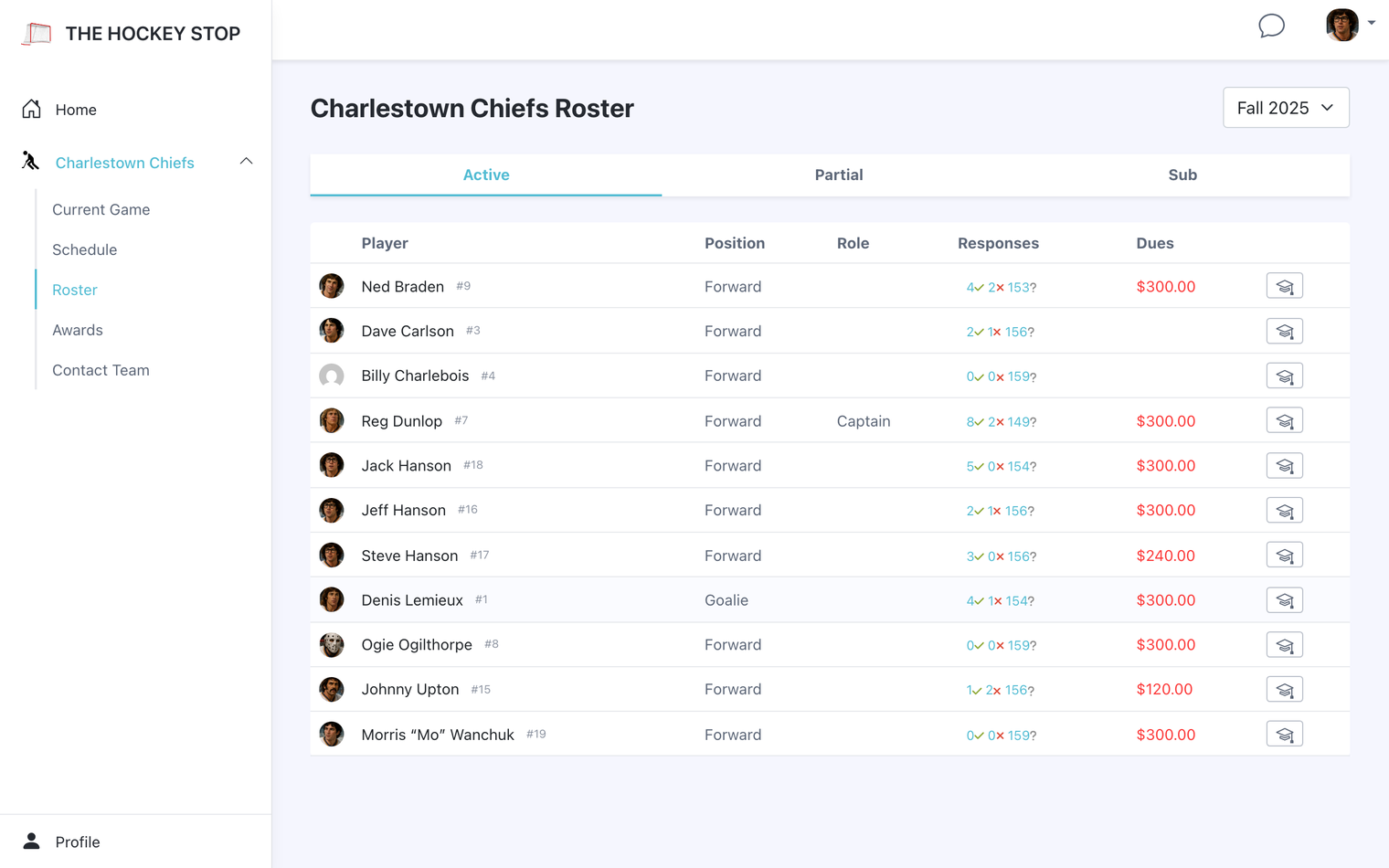
Admins see slightly more: a paid-up player reads Paid rather than blank, and the cell is clickable through to the ledger.
Chasing the stragglers
The Email Dues button on the roster writes to everyone still carrying a balance — and only them. You get a preview of exactly who will receive it and what they owe before anything sends, so there is no chance of emailing someone who already paid.